By Tyler Morgan | Technology Content Writer
Summarize this blog post with: ChatGPT | Perplexity | Claude | Grok
You already automate bits of your day—calendar blocks, email filters, maybe a couple of simple Zaps. That helps, but it still leaves you stuck in the loop of reading context, deciding next steps, and hopping between apps. Standard automation only handles the tasks you’ve perfectly predicted. It can’t judge urgency, chain decisions, or adapt when something unexpected shows up.
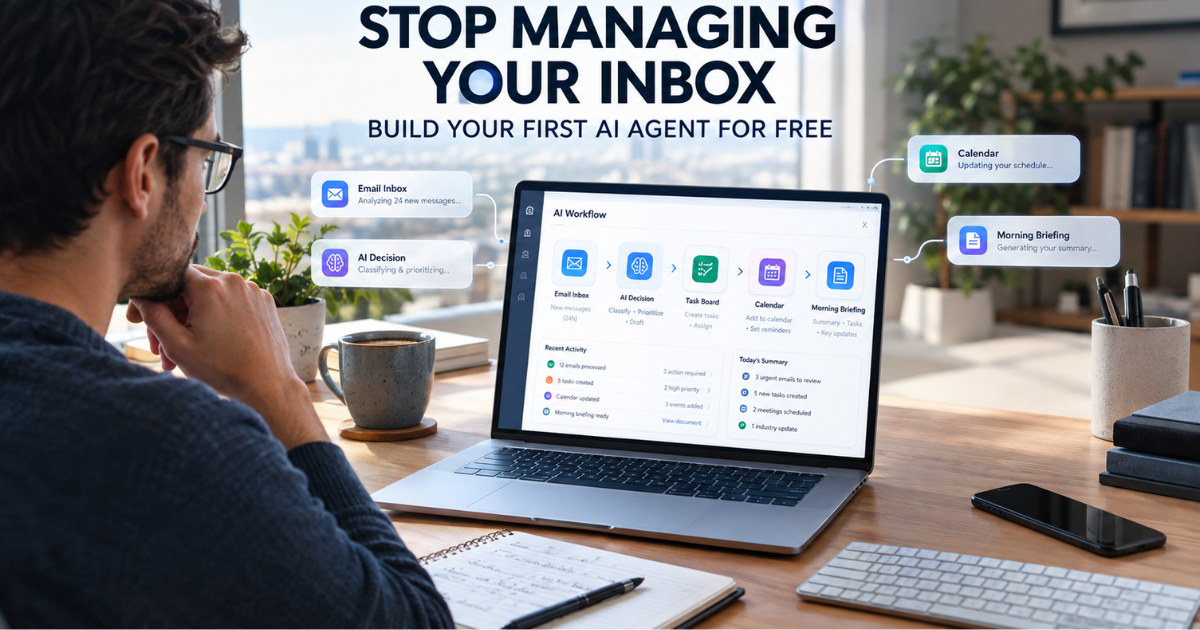
An agentic AI workflow changes that. It takes a goal, plans the steps, uses your tools, checks its own progress, and delivers results with minimal hand-holding. In this guide you’ll build your first practical one using free tools, so your mornings start with a ready brief instead of a scattered scramble. We’ll focus on remote work realities in 2026, keep everything no-code or low-code, and stay honest about limits.
Key Takeaways
- An agentic AI workflow lets AI plan, decide, and act across multi-step tasks using connected tools, with limited human input at every stage.
- Zero-touch automation works best on repetitive, digital, low-risk remote tasks (email triage, summaries, task creation) that follow patterns and stay reversible.
- Free AI agents and no-code platforms such as Make, n8n (self-hosted), and similar tools lower the barrier, though free tiers have usage caps.
- Start with one narrow workflow—ideally a daily email briefing—rather than trying to automate an entire job.
- Human review, permissions, testing, and error handling remain essential; full autonomy is rarely the smart first move.
- Once one workflow runs reliably, expanding into connected autonomous workflows becomes much faster.
What Exactly Is an Agentic AI Workflow?
An agentic AI workflow is a multi-step process in which an AI system interprets a goal, makes constrained decisions, calls tools, and completes the work with limited ongoing human intervention. It goes beyond generating text. A simple chatbot answers when you ask and then waits. Traditional automation follows rigid if-this-then-that rules. An agentic setup receives an objective (for example, “triage overnight email and prepare a morning brief”), figures out the sequence, pulls data from Gmail or Slack, classifies messages, drafts replies, and delivers a clean summary.
In practice this looks like an email agent that reads a new request, spots a deadline, creates a task in your project tool, and drafts a reply—all in one flow—rather than just summarizing the message for you to act on later. Well-designed agents stay inside clear guardrails: defined tools, explicit instructions, and permission limits. They are not given unlimited control.
How Does an Agentic AI Workflow Differ from Regular Automation?
Traditional automation is deterministic and blind to nuance. “If the subject contains ‘invoice,’ move it to this folder.” That works until the message is a payment reminder, a question about the invoice, or a phishing attempt. An agentic AI workflow can interpret the content, choose among permitted actions, and adapt.
Here’s a quick comparison:
| Capability | Traditional Automation | Agentic AI Workflow |
|---|---|---|
| Trigger | Fixed event or schedule | Event, schedule, or goal |
| Decision-making | Predefined rules | AI-assisted interpretation within limits |
| Tool use | Preconfigured actions | Dynamically selected from allowed tools |
| Context handling | Structured fields only | Text, history, files, and structured data |
| Autonomy | Predictable, rigid | Higher, but constrained by guardrails |
The real advantage shows up with variable inputs that still share the same goal—twenty customer emails that all need categorizing even though every message is worded differently. If you want the bigger picture of this shift, we break down the quiet revolution in more detail in our guide to what agentic AI is and how it’s changing work.
Why Agentic Workflows Matter for Remote Workers Right Now
Remote and hybrid work creates constant context-switching across time zones, tools, and async channels. That fragmentation is expensive. Knowledge workers still spend roughly 28% of the workweek managing email alone—about 11–12 hours—before counting Slack, project boards, and status updates. Source: McKinsey Global Institute / cloudHQ analyses, 2025–2026.
Microsoft’s 2026 Work Trend Index shows the shift is already happening. Active agents in the Microsoft 365 ecosystem grew 15x year-over-year (18x in large enterprises). In India, 32% of AI users now qualify as “Frontier Professionals” who actively redesign work around agents—double the 16% global average. Globally, 66% of AI users report spending more time on high-value work thanks to these tools. Source: Microsoft Work Trend Index, 2026.
Gartner projects that 40% of enterprise applications will feature task-specific AI agents by the end of 2026, up from less than 5% the year before. Source: Gartner, 2025–2026. Average completion rates for multi-step agent tasks hover around 75% across leading platforms when guardrails are in place. Source: First Page Sage Agentic AI Statistics, 2026.
These numbers don’t mean every task should go fully autonomous. Zero-touch works best when the stakes are low and the pattern is clear. High-stakes decisions—payments, legal commitments, hiring—still need a human in the loop.
What a Zero-Touch Remote Workday Looks Like in Practice
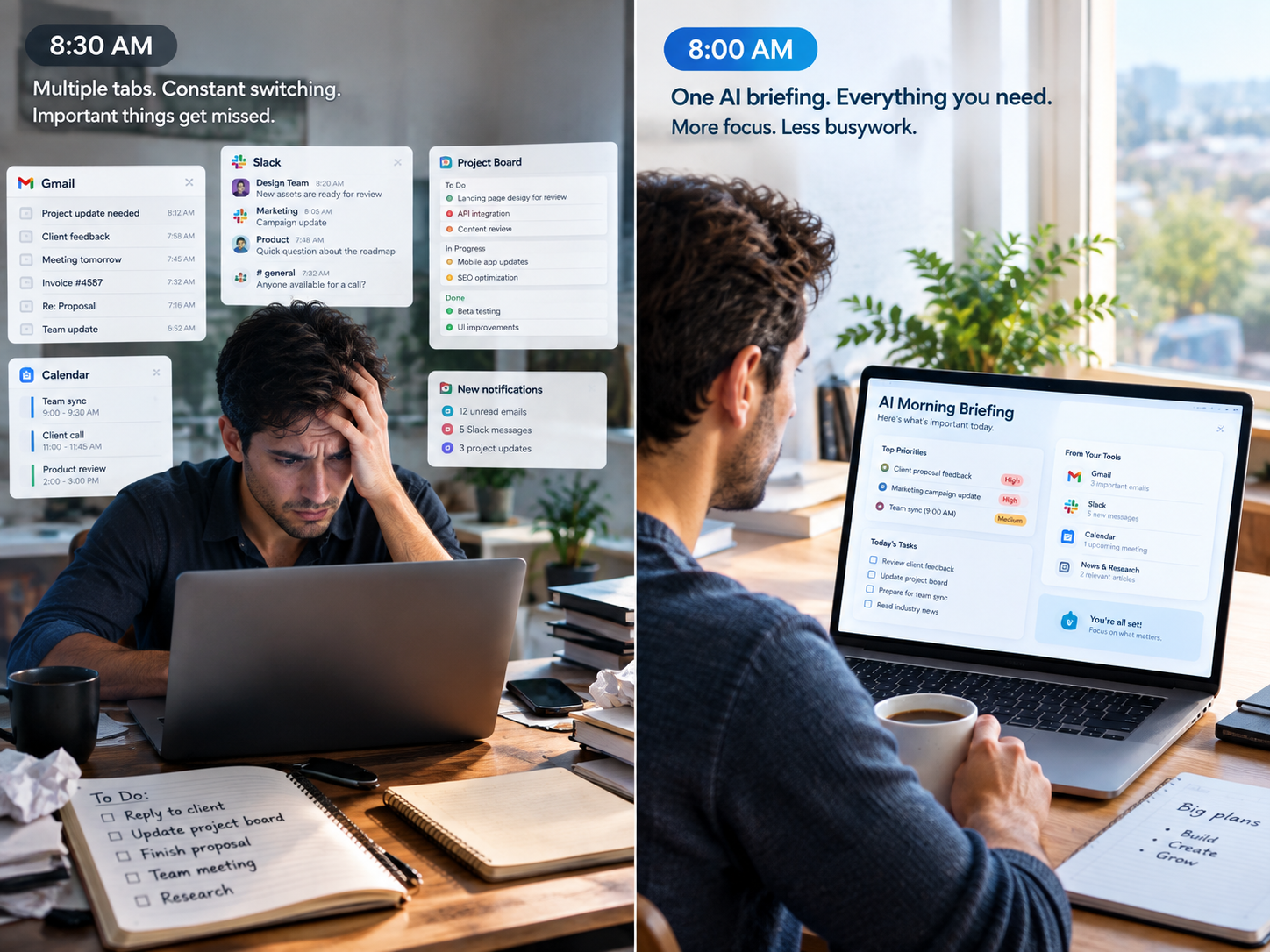
Zero-touch automation minimizes routine intervention while keeping safeguards, permissions, and escalation points. Success is measured by reduced busywork, not by removing humans entirely.
Before: You open Gmail (15 minutes of triage), Slack (10 minutes catching up), the project board (another 10), and a news feed. By 9:30 a.m. you’ve burned the freshest part of your cognitive day on information intake and still haven’t started real work.
After: At 7 a.m. your agentic AI workflow runs. It scans the inbox, flags the three emails that need replies and drafts them, summarizes overnight Slack threads into five bullets, checks for overdue items, and pulls two relevant industry updates into a digest. You open one document at 8 a.m., review it in under ten minutes, approve the drafts, and start deep work by 8:15.
Same inputs. Completely different energy. That’s the practical promise of autonomous workflows for remote work automation.
Core Components Every Agentic AI Workflow Needs
Four building blocks keep things reliable:
- Trigger – Time-based (every weekday at 7 a.m.), event-based (new VIP email), or manual.
- AI reasoning layer – An LLM that plans steps and decides which tools to call (GPT-4o mini, Gemini Flash, Claude Haiku, or equivalent free/low-cost tiers).
- Tool integrations – Connections to Gmail, Slack, Notion, Google Calendar, Sheets, etc.
- Defined output – A Slack message, Google Doc, or email draft delivered exactly where you want it.
How to Build Your First Agentic AI Workflow Step by Step (No Code)
The simplest high-value starting point is a Daily Email Briefing Agent. It saves measurable time and runs on a schedule, so testing is straightforward.
1. Pick one repetitive task. Commit to email triage + prioritized summary + draft replies. Resist scope creep.
2. Sign up for a free no-code platform. Make’s free plan currently offers 1,000 credits/operations per month and two active scenarios—enough for a daily workflow. n8n’s self-hosted Community Edition is unlimited if you’re comfortable with a lightweight server setup. Zapier’s free tier is more limited (around 100 tasks and two-step Zaps). Source: Make, n8n, and Zapier pricing pages, 2026.
3. Set a schedule trigger. Weekdays at 7:00 a.m.
4. Connect Gmail and pull unread messages from the last 24 hours. Add simple filters if you want to prioritize certain senders.
5. Add the AI step. Send the email content to a free-tier model with a clear prompt: “You are my email assistant. Categorize each message as Urgent / FYI / No Action. Summarize in one sentence. Draft a brief reply only for Urgent items. Return a structured list. Never invent missing facts such as deadlines.”
6. Route the output. Push the structured response to a Google Doc or a private Slack channel.
7. Test with real data. Run it manually a few times. Tweak the prompt. Add a notification if the workflow fails.
8. Activate the schedule. Your free AI agent now runs while you sleep.
Most people can get a working version live in two to three hours. The first workflow is the hardest because you’re learning the mental model; every later one is faster.
Which Free Tools Actually Work for Agentic Workflows in 2026?
| Tool | Free Tier Highlights | Best For | Main Limitations |
|---|---|---|---|
| Make | 1,000 credits/mo, 2 active scenarios, visual builder, 3,000+ apps | Beginners, Gmail/Slack flows | 15-min min interval, credit use on AI steps |
| n8n (self-hosted) | Unlimited executions | Technical users, full control | Requires server setup |
| Zapier | ~100 tasks/mo, 2-step Zaps | Existing Zapier users, simple prototypes | Very limited volume and steps |
| Lindy.ai & similar no-code agent tools | Limited free tasks/credits | Conversational setup | Fewer native integrations than Make |
Always verify current limits—providers adjust them. Combine any of these with free-tier LLM access and the tools you already use (Gmail, Sheets, Calendar). “Free” almost always means limited production volume rather than unlimited enterprise use.
Best Remote-Work Tasks to Start With
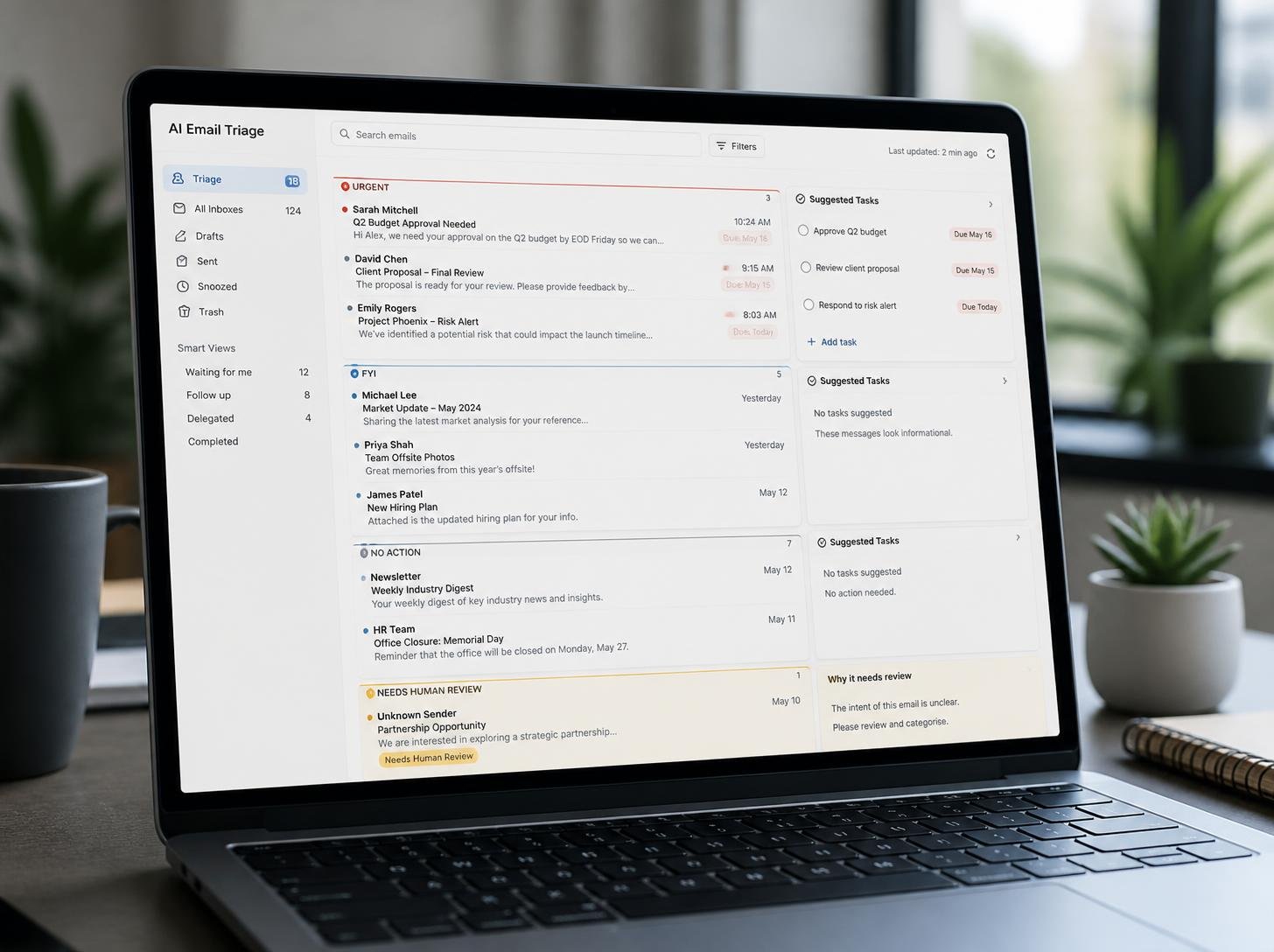
Prioritize repetitive, digital, low-risk, reversible work:
- Email triage and classification
- Meeting transcript → action items and deadlines
- Daily or weekly information digests
- Task and deadline extraction from messages
- Research collection and summarization
- Recurring status reports
- File naming and basic organization
Once your first agentic AI workflow is running, you can expand into other proven ideas—we’ve collected ten practical ones that actually save hours in this roundup of AI automation workflows that cut wasted time.
Avoid starting with payment approvals, legal decisions, file deletions, or anything irreversible. Keep a human approval step for anything ambiguous or high-stakes.
Common Beginner Mistakes (and How to Avoid Them)
The biggest killer is trying to automate an entire job function before one single task works reliably. Scope creep kills momentum.
Other frequent issues: skipping the audit of how you actually do the task today, ignoring error notifications, forcing awkward integrations instead of using native connectors, and giving the agent too much permission. Always test with normal, incomplete, ambiguous, and edge-case inputs. Log what happens. Add a fallback that stops and asks for review when confidence is low.
Scaling from One Workflow to a Personal System
Once the email agent is solid, add a second low-risk flow—maybe a weekly project status summarizer or research collector. After two or three, you’ll notice shared inputs and outputs that can feed each other. That’s the start of a lightweight personal AI operating system built from autonomous workflows.
Document every workflow. Measure time saved and error rates. Expand only after reliability is proven. Platforms continue adding better multi-agent support, but the principle stays the same: one reliable piece at a time.
Conclusion
Your first agentic AI workflow is the hardest—not because the technology is mysterious, but because it requires a different way of thinking about work. Once you watch a free AI agent triage your inbox, draft the obvious replies, and hand you a clean morning brief before coffee, something clicks. You stop treating the day as an endless list of tasks and start treating it as a system you can design.
Start with one workflow, one free tool, one clear use case. The Daily Email Briefing Agent outlined here can be live in a few hours. The second workflow is faster. The third is faster still. Zero-touch remote work automation isn’t a distant fantasy; it’s a quieter Tuesday morning a few weeks from now if you begin today.
FAQs
FAQ 1: What is the difference between an AI agent and a regular chatbot?
A chatbot responds to prompts and waits. An agent can pursue a goal, call tools, take sequential actions, and continue with limited further input.
FAQ 2: Can I really build an agentic AI workflow for free in 2026?
Yes for personal or light use. Make’s free tier, self-hosted n8n, and free LLM credits are enough for a daily email briefing or similar low-volume flow. Production-scale volume usually requires a paid plan.
FAQ 3: Is zero-touch automation safe?
It is safe when you constrain tools, keep human review for higher-risk steps, test thoroughly, and monitor for failures. Treat full autonomy as something you earn after reliability is proven.
FAQ 4: How long does it take to build the first workflow?
Most remote workers with no prior automation experience can have a working daily briefing agent running within two to three hours, including testing and prompt tweaks.
FAQ 5: Should I automate high-stakes decisions?
No. Start with reversible, low-risk tasks. Keep approvals for anything financial, legal, sensitive, or irreversible.
FAQ 6: What happens when the AI makes a mistake?
Good workflows include verification steps, logging, and fallbacks that escalate to you. Never let an agent invent missing facts or act on low-confidence outputs without review.
Author & Editorial Information
Written by Tyler Morgan: Tyler Morgan is a technology content writer covering artificial intelligence, digital productivity, remote work, automation, and emerging technology for general readers. His work focuses on explaining practical technology concepts and digital workflows in a clear, simple, and accessible way.
Reviewed by: Technology Content Editors & AI Workflow Specialists.
Disclaimer: This article is based on publicly available information, general research, AI tools, automation platforms, and practical workflow examples available at the time of publication. AI tools, features, integrations, pricing, and capabilities can change as platforms are updated. Results may vary depending on the tools used, workflow design, account limitations, and individual requirements. Readers should verify the latest features, terms, and availability before implementing any automation workflow. This content was initially drafted with AI assistance and has been reviewed, edited, refined, and fact-checked by human editors to improve accuracy, clarity, originality, and practical relevance.