By Liam Anderson | Technology Content Writer
Summarize this blog post with: ChatGPT | Perplexity | Claude | Grok
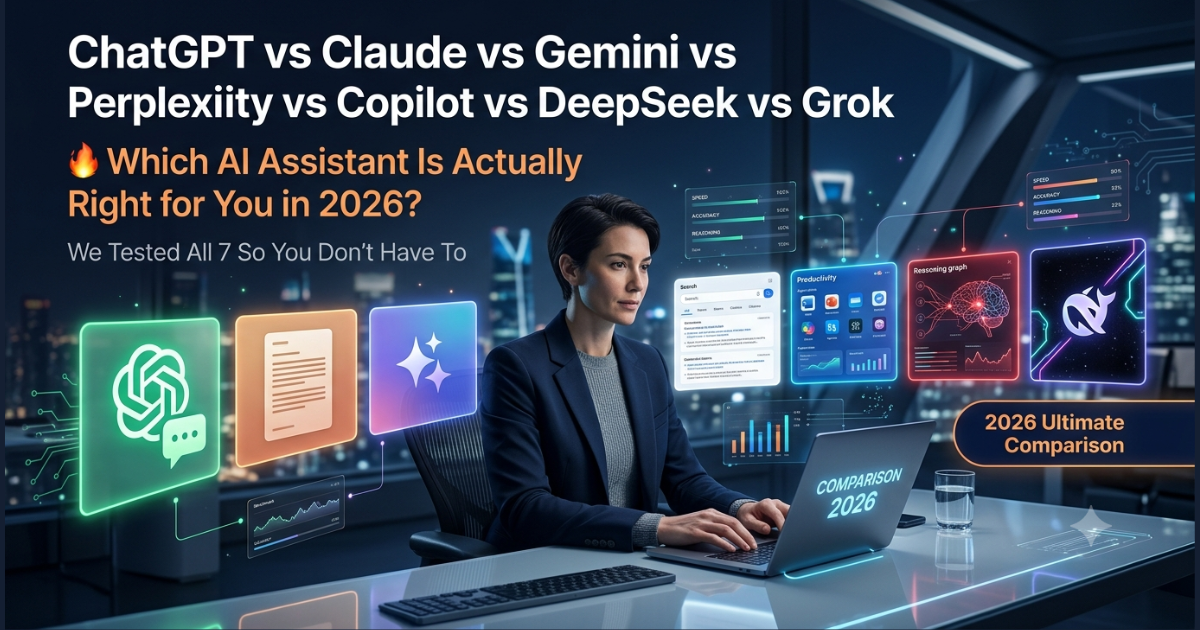
You’ve probably already got at least one AI assistant open in a browser tab right now. Maybe you default to ChatGPT because it’s familiar, or you switched to Claude after someone swore it writes better, or you’ve been using Perplexity for research and wondering if you’re missing something. Here’s the thing: most people pick one tool, get comfortable with it, and never seriously reconsider — even as the tools around them improve dramatically. In this guide, we cut through the noise and compare all seven major AI assistants — ChatGPT, Claude, Gemini, Perplexity, Copilot, DeepSeek, and Grok — across the categories that actually matter for real work, so you can stop guessing and start choosing intentionally.
If you’re primarily choosing between the big three, our dedicated ChatGPT vs Claude vs Gemini breakdown goes deeper on that specific match-up
Key Takeaways
- No single AI assistant wins every category. Each tool is genuinely better at specific tasks, and treating them as interchangeable leaves real productivity on the table.
- ChatGPT remains the strongest all-around option for general productivity, automation, and multimodal work — but its lead has narrowed significantly.
- Claude is the tool of choice for long-form writing, document analysis, and nuanced reasoning, particularly when output quality over long stretches matters more than speed.
- Perplexity is purpose-built for research — it retrieves live web results and shows its sources, which makes it categorically different from standard chatbots.
- Gemini is most powerful inside Google Workspace, where it can act directly on your actual emails, documents, and calendar rather than hypothetical scenarios.
- DeepSeek offers GPT-4-class reasoning at a fraction of the cost, making it the most compelling option for developers and API-heavy use cases — though enterprise users should weigh its privacy implications carefully.
- The most productive AI users in 2026 aren’t loyal to one tool. They’ve built a small, intentional stack — typically two or three tools, each with a defined role.
What These Seven AI Assistants Actually Are (and Why They’ve Diverged)
AI assistants are software applications built on large language models that can hold conversations, generate content, write and debug code, analyze documents, and answer questions in plain language. That part you probably know. What’s changed since ChatGPT launched in late 2022 is that these tools have stopped being generically similar and started developing distinct identities.
The global AI chatbot market is projected to reach $11.8 billion in 2026 — Source: Grand View Research, 2026. That scale of investment partly explains why: when billions of dollars are flowing into AI development, companies can’t afford to build another version of the same thing. They specialize. Perplexity became a search engine. Copilot became an enterprise productivity layer. DeepSeek became a cost-optimized reasoning model for developers. And so on.
What that means practically is that a question like “which AI is best?” has become genuinely unanswerable without a follow-up: best for what? A journalist doing source verification has completely different needs from a developer debugging Python or a brand manager tracking social sentiment. The comparison that matters isn’t which tool scores highest on a benchmark — it’s which tool fits your workflow. That’s what this guide is designed to help you figure out.
According to McKinsey’s State of AI report, 65% of organizations now report regularly using generative AI tools — up from 33% just one year prior — which means the tool choice your team makes today is increasingly a competitive decision, not just a personal preference.
Why Picking the Right AI Tool Is More Consequential Than It Used to Be
Honestly, in 2023, the differences between AI assistants were significant enough to notice but not large enough to dramatically change outcomes. That’s no longer true. On coding tasks, for example, performance gaps between leading and trailing models now span 40+ percentage points on standard benchmarks — Source: Papers With Code, 2024. That’s not a marginal difference. That’s the gap between a tool that solves your problem and one that confidently gives you the wrong answer.
Cost is also a real factor now. Most premium AI subscriptions run $20–$30 per month, and ChatGPT’s market share — while still dominant at roughly 54–79% depending on measurement methodology — has been declining as alternatives mature — Source: StatCounter Global Stats, 2026. People are switching, and often for legitimate reasons. If you’re paying for a tool that underperforms on your most important tasks, you’re paying a quiet productivity tax every month.
There’s also the question of subscription fatigue. The sweet spot for most users is one or two paid tools, not five. Getting this choice right upfront saves both money and the cognitive overhead of managing a bloated AI toolkit.
The scale of investment behind these tools isn’t accidental — several of the AI companies billionaires are investing in right now are the same ones building the assistants in this comparison.
The Full Breakdown: What Each AI Assistant Does Best
ChatGPT: Still the Most Versatile Option, But No Longer Unchallenged
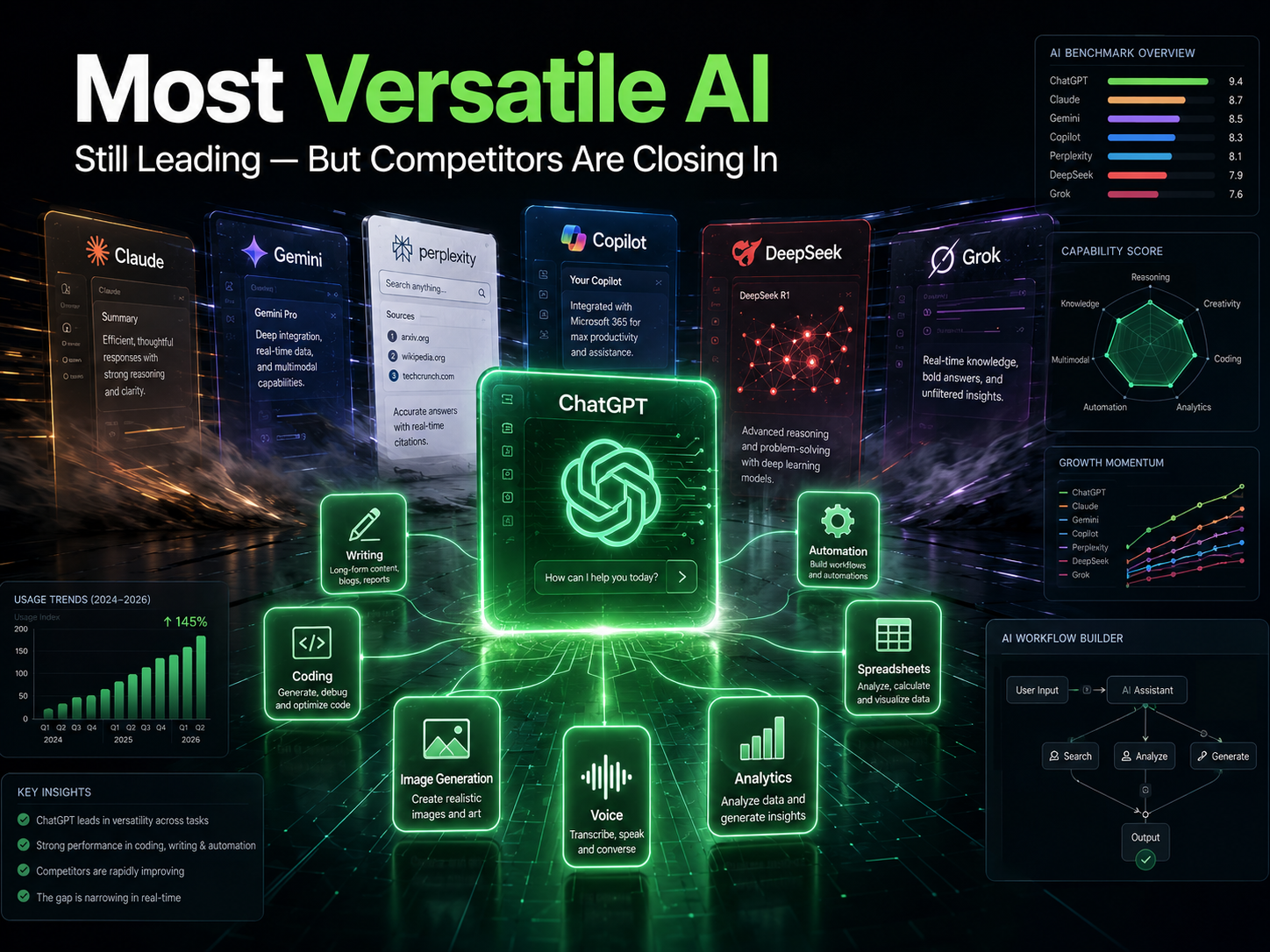
ChatGPT is a general-purpose AI assistant developed by OpenAI, built on GPT-4o, and designed to handle a wide range of tasks — writing, coding, analysis, image generation, voice conversations, and increasingly complex agentic workflows. It’s been the most-used AI assistant globally since launch, and for most people starting from scratch, it’s still the sensible default.
What makes ChatGPT genuinely strong isn’t any single capability — it’s the combination. You can draft a blog post, generate a hero image with DALL·E, analyze a CSV with Code Interpreter, and then build a custom GPT to automate that workflow going forward, all without leaving the same interface. For non-technical users especially, that breadth is hard to match. Agentic AI usage on OpenAI’s platform grew 5x in the first half of 2026 alone — Source: OpenAI Codex Study, 2026 — which suggests ChatGPT is evolving fast beyond simple chat.
Its biggest weakness is a familiar one: it can hallucinate confidently. On niche topics, recent events (without web search enabled), or anything requiring precise citations, you need to verify its outputs. That’s not a dealbreaker, but it’s a real limitation that affects which tasks you should trust it with unsupervised.
Best fit: Writers, marketers, founders, general users who want one tool that covers most bases reasonably well.
Claude: The One to Use When Output Quality Actually Matters
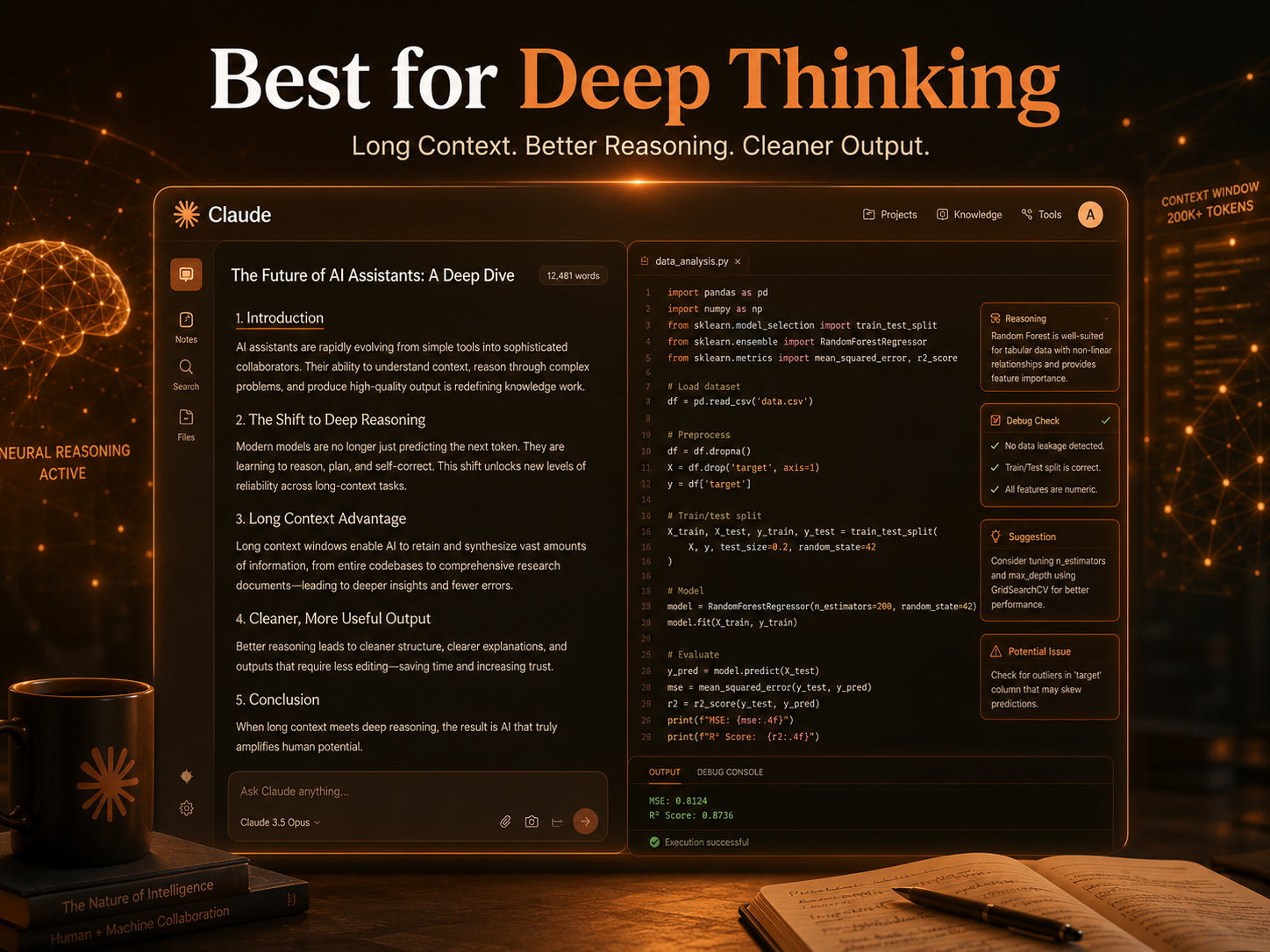
Claude, developed by Anthropic, is an AI assistant built for long-context document processing, nuanced reasoning, and high-quality writing output. From what most experienced users report, Claude produces noticeably more coherent, well-structured prose than its competitors — particularly on tasks requiring sustained quality across thousands of words.
The context window is a genuine differentiator. Claude can ingest and meaningfully analyze book-length documents in a single session, which isn’t just a technical milestone — it changes the kinds of tasks you can actually run. Legal professionals use it to process contract documents. Researchers use it to synthesize lengthy literature. Analysts use it to summarize hundred-page reports without losing thread. That’s not a feature you notice until you need it, at which point nothing else will do.
Claude’s tone also tends to be more measured and precise than ChatGPT’s, which either appeals to you or doesn’t depending on your use case. For technical writing, legal documents, or anything where careful, qualified language matters, it’s a significant advantage. For casual conversational tasks or quick brainstorming sessions, it can feel slightly formal.
Best fit: Developers, legal professionals, analysts, researchers, and content strategists who need consistently high-quality output over long outputs.
Gemini: Google’s Bet on Ecosystem Depth Over Raw Performance
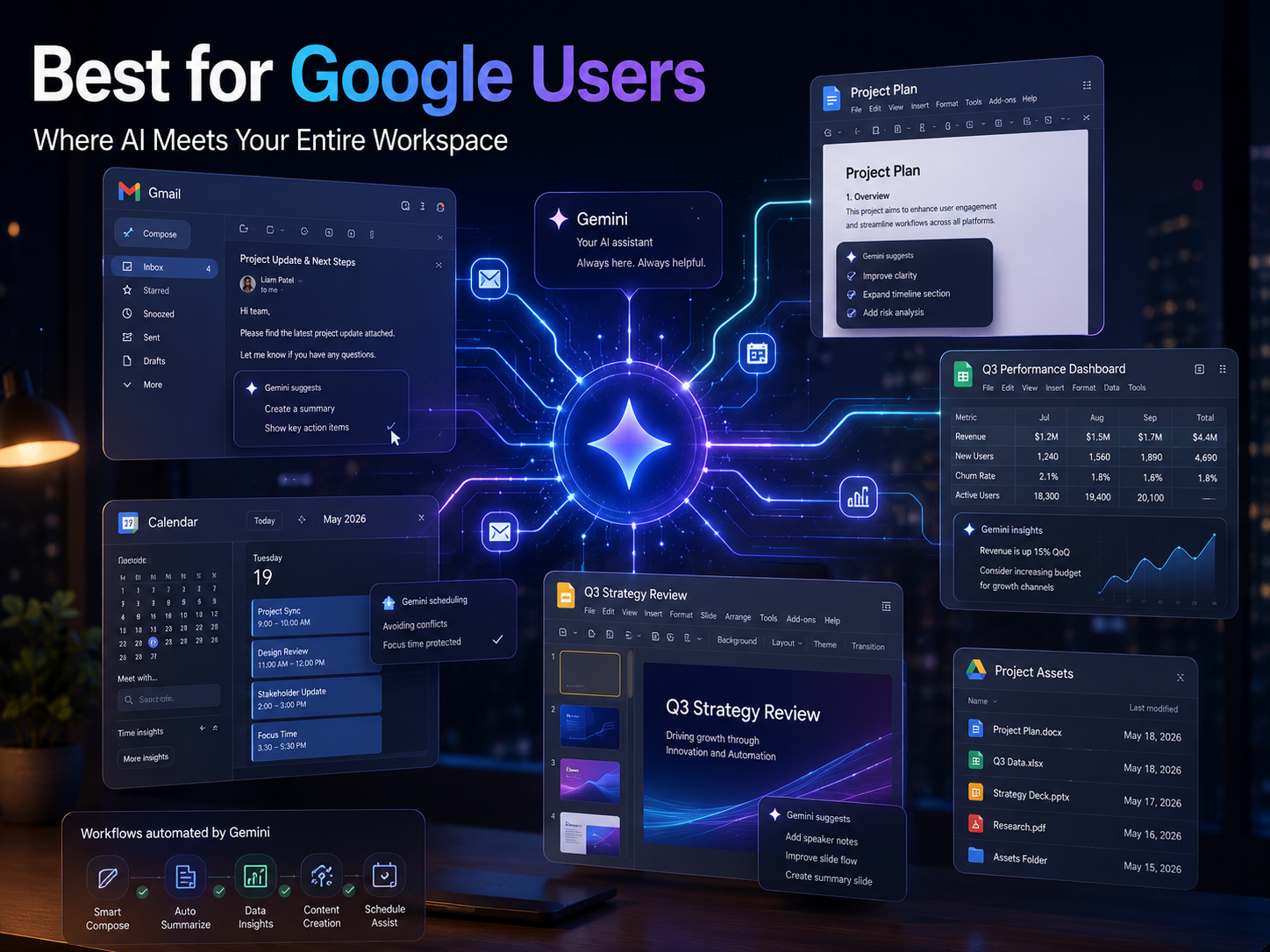
Gemini is Google DeepMind‘s flagship AI assistant, integrated natively into Google Search, Gmail, Docs, Sheets, Slides, and Android. Its defining advantage isn’t raw reasoning performance — Claude and ChatGPT still edge it out on many benchmarks — it’s that Gemini operates on your actual data rather than hypothetical scenarios.
In practice, this means Gemini can read your Gmail threads, identify action items, draft a reply in your voice, and cross-reference a relevant Google Doc — all in a single prompt. If you’re working in Google Workspace all day, that contextual access is transformative in a way that a superior-performing standalone chatbot can’t replicate, because the standalone chatbot doesn’t know what’s actually in your inbox.
Gemini’s free tier is also genuinely generous, which makes it an easy entry point for users not ready to commit to a subscription. The trade-off is that outside the Google ecosystem, its advantages diminish considerably, and its reasoning performance still trails Claude and ChatGPT on complex tasks — though recent Gemini 1.5 Pro updates have meaningfully narrowed that gap — Source: LMSYS Chatbot Arena Leaderboard, 2024.
Best fit: Students, office workers, and anyone already running their professional life inside Google Workspace.
Perplexity AI: The Research Tool That Actually Shows Its Work
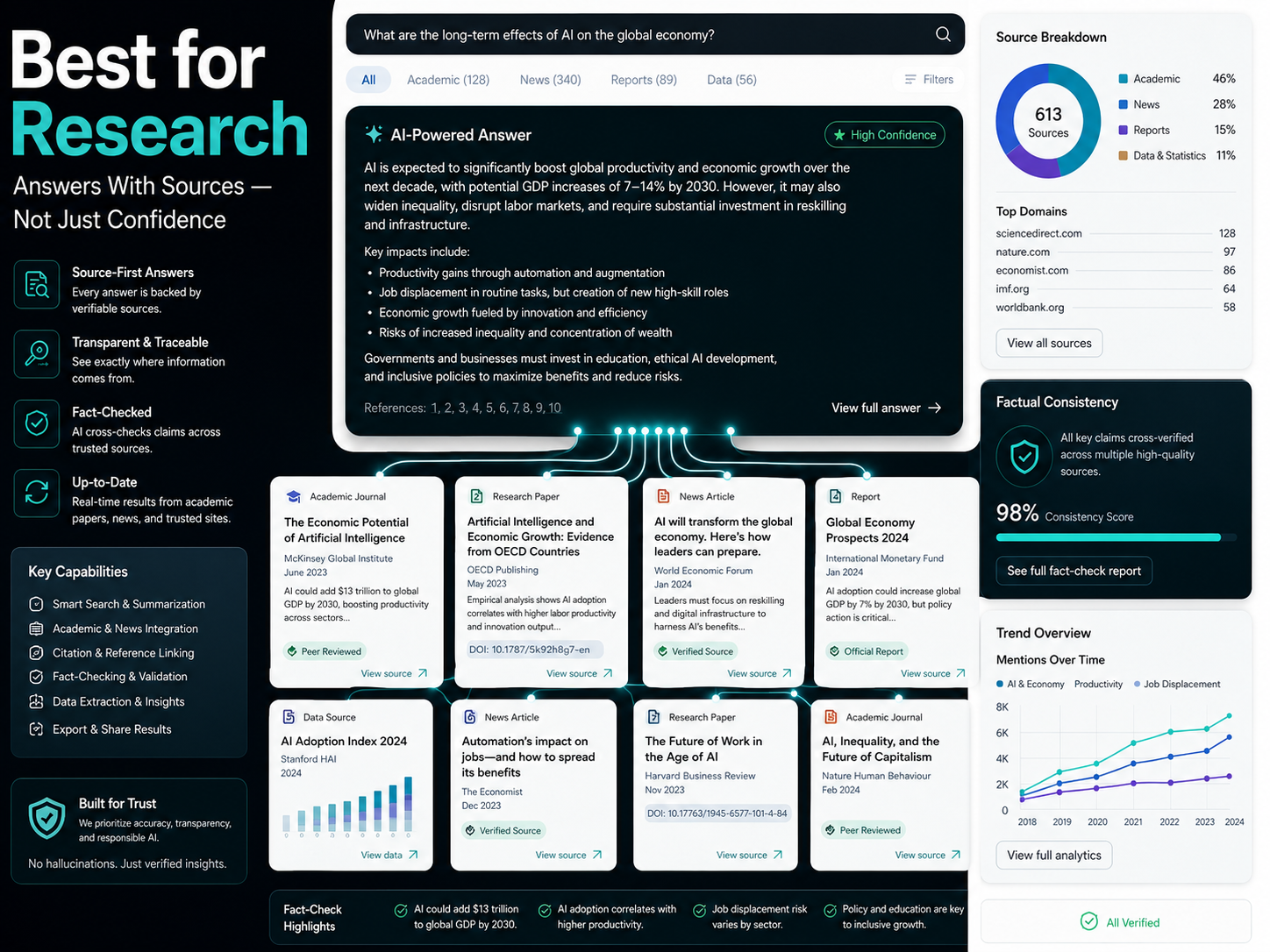
Perplexity AI is a real-time AI search engine that retrieves live web results and delivers cited, sourced answers — making it fundamentally different from conversational chatbots that generate responses from a static training dataset. That distinction matters more than it might initially sound.
Here’s the practical difference: ask ChatGPT (without web search enabled) about a recent funding round, a current market price, or a news event from last month, and you’ll either get outdated information or an admission of ignorance. Ask Perplexity the same question, and you get a synthesized answer with links to the original sources, published dates, and enough context to verify what you’re reading. For any research task where accuracy and recency both matter — which is most research tasks — that’s a structural advantage.
The caveat is that Perplexity isn’t trying to be a writing tool or a coding assistant, and it shows. For tasks that require depth, creativity, or complex reasoning rather than information retrieval, it’s the wrong tool. Think of it as the AI equivalent of a very fast, very reliable research librarian: excellent at finding and summarizing what exists, less suited to generating something new.
Best fit: Journalists, SEO professionals, analysts, researchers, and anyone whose work depends on verifiable, current information.
Microsoft Copilot: The Most Powerful Tool You Already Have Access To
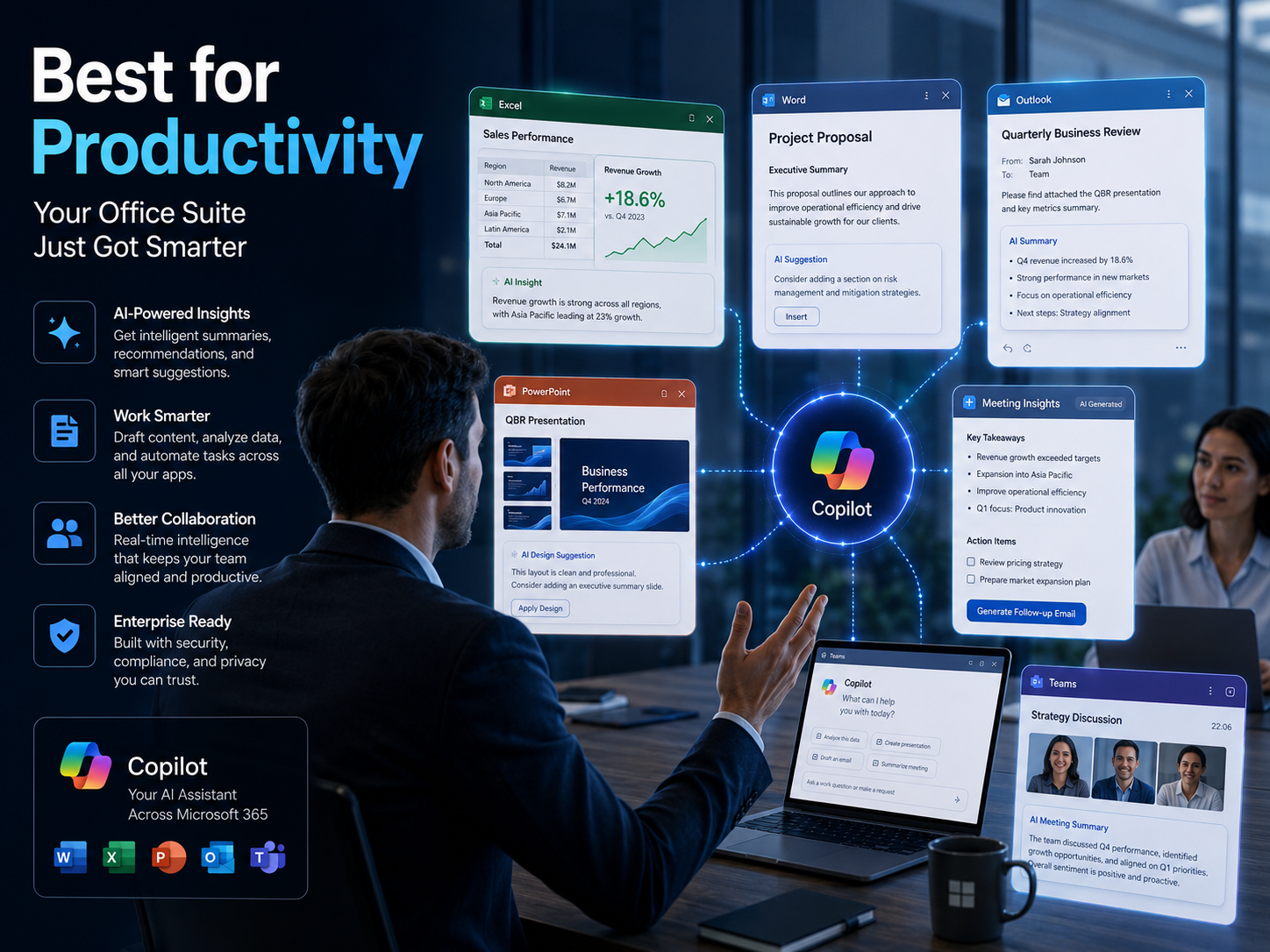
Microsoft Copilot is an AI assistant built directly into Microsoft 365 — Word, Excel, Outlook, Teams, and PowerPoint — enabling users to generate content, summarize documents, and automate tasks within the tools they’re already using for work. Unlike every other tool on this list, Copilot isn’t asking you to open a new tab or change your workflow; it works where you already are.
The enterprise adoption numbers reflect this positioning. Microsoft has reported 20 million paid Microsoft 365 Copilot seats as of 2026 — Source: SQ Magazine, 2026 — which is remarkable growth for a $30/user/month add-on in a market where many users are also paying for standalone AI subscriptions.
In practical terms, Copilot’s strength is context. It can analyze your actual spreadsheet rather than a hypothetical one, summarize the email thread you’re currently reading, and turn meeting notes from Teams into a PowerPoint draft — actions that require access to your real work environment, not just a general capability to generate text. The limitation is that outside Microsoft’s ecosystem, Copilot has no meaningful advantages over cheaper or better-performing alternatives.
Best fit: Enterprise users, corporate teams, analysts, and anyone spending most of their working day inside Microsoft 365.
DeepSeek: The Performance-Per-Dollar Champion That Raised Some Questions
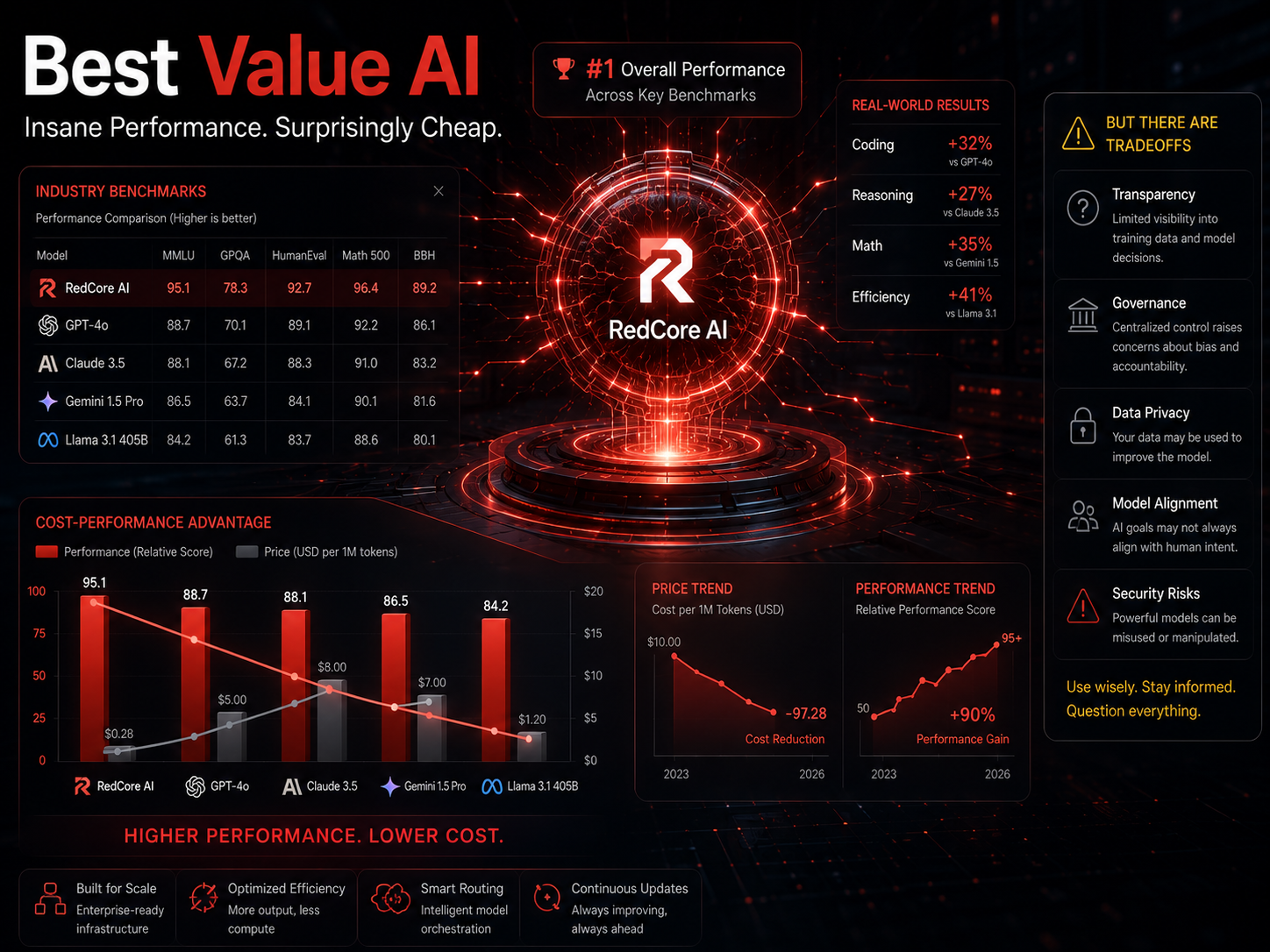
DeepSeek is a family of open-source large language models developed by a Chinese AI research lab, known for delivering GPT-4-class reasoning — particularly in math and coding — at significantly lower computational cost. When DeepSeek R1 dropped in early 2025, it genuinely surprised the industry by matching or exceeding GPT-4o on several coding and reasoning benchmarks while being available as an open-weight model — Source: DeepSeek Technical Report, 2025.
For individual developers and startups building on AI APIs, the economics are compelling. DeepSeek’s API pricing runs substantially below OpenAI’s for comparable capability, and being open-weight means you can self-host it if you have the infrastructure.
That said, it’s worth being clear-eyed about the trade-offs. DeepSeek is developed and operated under Chinese jurisdiction, which creates genuine data governance considerations for enterprise users operating under GDPR, HIPAA, SOC 2, or similar compliance frameworks. This isn’t a theoretical concern — it’s a concrete compliance question that legal and security teams need to evaluate before deployment. For individual users working on non-sensitive tasks, the risk profile is different and the value proposition is harder to argue with.
Best fit: Developers, startups, and API-heavy applications where cost matters and compliance requirements are manageable.
Grok: The One With Real-Time Social Intelligence
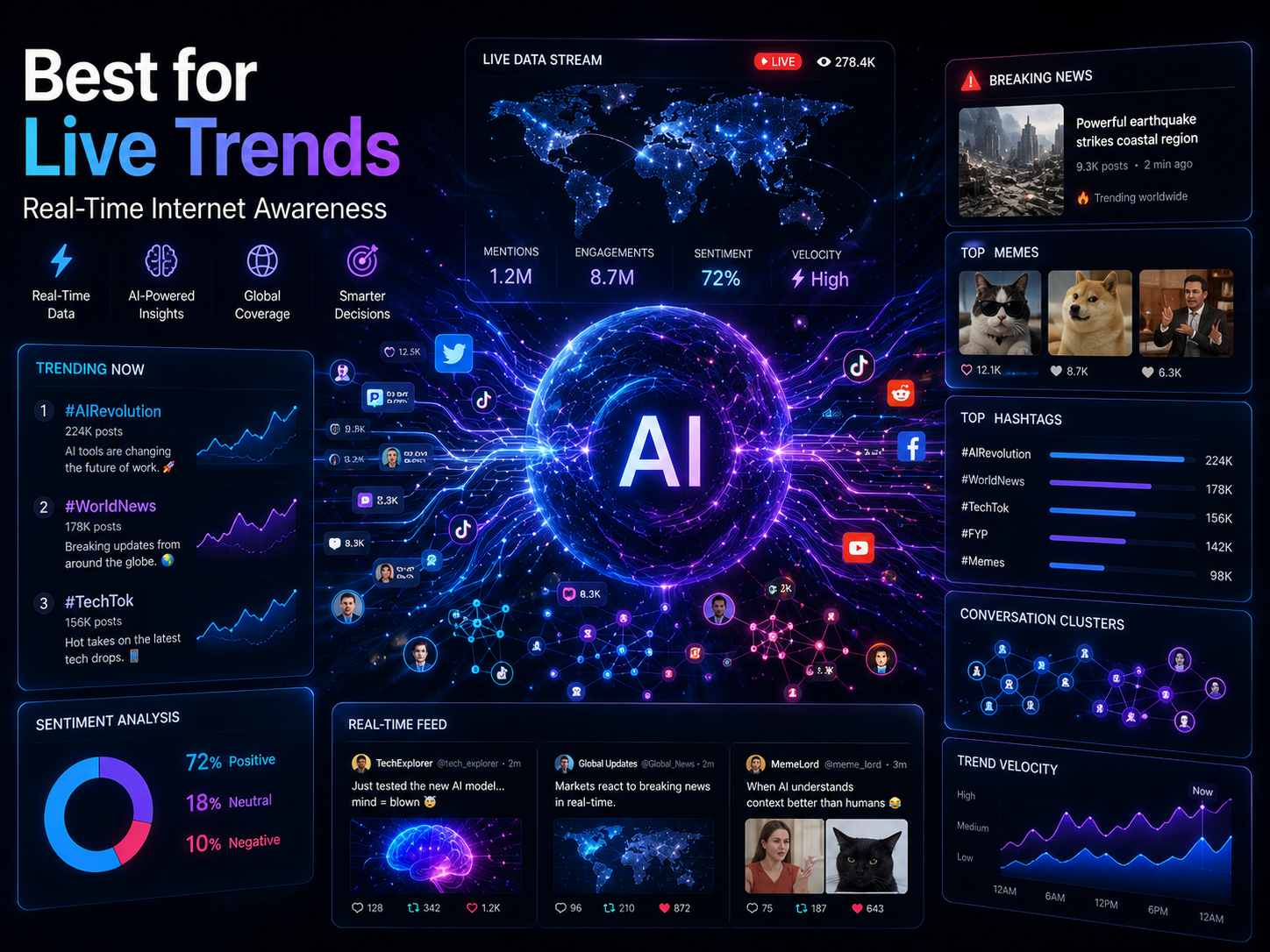
Grok, developed by xAI and integrated with the X platform (formerly Twitter), is the only major AI assistant with native real-time access to social media data and live trending conversations. That’s a genuinely unique capability — every other tool on this list either pulls from the web broadly (Perplexity, Gemini) or works from a static training set. Grok pulls from X’s firehose, in real time.
In practice, this makes Grok genuinely useful for a specific audience: social media professionals, brand managers, PR teams, journalists, and trend analysts who need to know what people are saying right now, not what was indexed last week. A question like “What’s the reaction to our product launch on X over the last 12 hours?” can only be meaningfully answered by Grok among the tools in this comparison.
Outside that social intelligence use case, Grok is a capable general assistant with solid reasoning — but it doesn’t currently lead any non-social category convincingly. If real-time social context isn’t central to your work, it probably shouldn’t be your primary tool.
Best fit: Social media managers, journalists, trend analysts, and brand teams monitoring public discourse in real time.
How All Seven Tools Compare Side by Side
The table below maps each tool against the five dimensions that matter most for everyday professional use.
| Dimension | ChatGPT | Claude | Gemini | Perplexity | Copilot | DeepSeek | Grok |
|---|---|---|---|---|---|---|---|
| Reasoning & Accuracy | ★★★★★ | ★★★★★ | ★★★★☆ | ★★★☆☆ | ★★★★☆ | ★★★★★ | ★★★★☆ |
| Real-Time Web Access | ★★★☆☆ | ★★☆☆☆ | ★★★★☆ | ★★★★★ | ★★★★☆ | ★★☆☆☆ | ★★★★★ |
| Coding Assistance | ★★★★★ | ★★★★☆ | ★★★★☆ | ★★☆☆☆ | ★★★★☆ | ★★★★★ | ★★★☆☆ |
| Long-Form Writing | ★★★★☆ | ★★★★★ | ★★★☆☆ | ★★☆☆☆ | ★★★☆☆ | ★★★☆☆ | ★★★☆☆ |
| Free Tier Quality | ★★★☆☆ | ★★★☆☆ | ★★★★☆ | ★★★★☆ | ★★★★☆ | ★★★★★ | ★★★☆☆ |
| Primary Strength | General versatility | Long documents & writing | Google Workspace integration | Real-time sourced research | Microsoft 365 workflows | Cost-efficient reasoning | Live social/trend data |
| Starting Price | Free / ~$20/mo | Free / ~$20/mo | Free / ~$20/mo | Free / ~$20/mo | Free / ~$30/mo | Free / API pricing | Free / X Premium |
Which AI Tool Should You Actually Use? A Practical Guide by Use Case
The best AI assistant is the one that fits your primary use case — not the one that wins the most benchmark categories or has the biggest marketing budget. Here’s a realistic breakdown:
If you’re a student or academic researcher: Start with Perplexity for sourced fact-finding and Claude for synthesizing and writing up what you find. The combination handles most research workflows better than either tool alone.
If you’re a software developer: DeepSeek R1 and ChatGPT with Code Interpreter are the strongest options for code generation and debugging. For in-editor assistance, GitHub Copilot (which runs on OpenAI models) remains the most integrated option.
If you work in content marketing or editorial: Claude for drafts that need to be good on the first pass; ChatGPT for ideation, variations, and workflow automation. Most content teams that use both find they complement each other naturally.
If your entire work life runs inside Microsoft 365: Copilot, without much debate. The contextual access to your actual files is the feature no standalone chatbot can replicate.
If privacy is a priority: Claude’s privacy policies are detailed and transparent. Gemini within a configured Google Workspace account also offers strong data controls. Avoid DeepSeek for sensitive enterprise workloads until the compliance picture clarifies.
If you track social conversations or breaking news professionally: Grok’s X integration is the only real option in this category. Perplexity is a strong complement for broader web coverage.
If you’re on a tight budget: Gemini and DeepSeek offer the strongest free-tier performance. DeepSeek’s API pricing is particularly compelling for developers who want to build without heavy upfront costs.
The Case for Using Multiple AI Tools Together
Using a single AI assistant for everything in 2026 is a bit like using one app for all your communication. It’s technically possible, but it’s not optimal. The most productive users tend to combine two or three tools, each with a clearly defined role.
A common stack that works well in practice: Perplexity for research and source verification → Claude for drafting and refining long-form content → ChatGPT or Copilot for day-to-day automation and quick tasks. Some teams add Grok for social monitoring, particularly in PR and communications roles. That four-tool stack covers nearly every professional use case and typically costs $40–$60/month — less than most people spend on software they barely use.
The key is assigning each tool a specific role and sticking to it, rather than randomly switching based on which tab happens to be open. Reddit communities covering AI productivity consistently arrive at the same conclusion: tool loyalty is less effective than tool assignment — Source: Reddit r/BusinessGrowthSystem, 2026.
How to Choose and Build Your AI Stack: A Simple Framework
Building a functional AI toolkit doesn’t need to take long. Here’s a three-step approach that works:
Step 1: Identify your single most time-consuming task. Writing? Research? Code? Data analysis? Pick the one thing where AI would have the biggest impact on your week, and choose the tool that leads in that specific category.
Step 2: Test your top two candidates on a real task from your actual work. Not a toy example — a real prompt you’d actually use. Compare the outputs side by side. The difference is usually more obvious than any benchmark comparison.
Step 3: Reassess every quarter. This market moves fast. A tool that ranked third six months ago may be the clear leader today. Spending 30 minutes quarterly reviewing what’s changed in the landscape is a genuinely good use of time.
One practical note: Free tier quality shifts frequently. Several tools reduced free plan limits in 2025, while others expanded them to compete for users. Checking each tool’s current pricing page before subscribing takes five minutes and can save real money.
Conclusion: Build a Stack, Not a Brand Loyalty
No single AI assistant dominates every category in 2026 — and that’s unlikely to change anytime soon. ChatGPT, Claude, Gemini, Perplexity, Copilot, DeepSeek, and Grok each occupy a genuinely distinct niche, and the most productive users aren’t debating which one is best. They’re using the right tool for the right task and moving on.
If you take one thing away from this comparison: start with the tool that fits your primary use case, test it against a real competitor on actual work, and build your stack deliberately rather than by default. The people getting the most from AI right now aren’t the ones with the most subscriptions — they’re the ones who know exactly why they’re using each one.
The stakes aren’t abstract — AI is already replacing specific skills in 2026, and the tool you use affects how quickly you adapt.
Frequently Asked Questions
FAQ 1: Which AI assistant is best overall in 2026?
ChatGPT remains the strongest all-around AI assistant due to its combination of versatility, ecosystem depth, and multimodal capabilities. That said, “best overall” is increasingly a misleading frame — Claude outperforms it on long-document tasks, DeepSeek matches it on coding at lower cost, and Perplexity beats it for real-time research. The right answer depends on what you’re doing.
FAQ 2: What’s the difference between Claude and ChatGPT?
ChatGPT is a general-purpose assistant with strong breadth across tasks, native image generation, and a large automation ecosystem. Claude is more specialized — it excels at long-context document analysis, nuanced writing, and producing coherent output over very long sessions. Most users who work with both find ChatGPT better for quick, varied tasks and Claude better for anything requiring sustained quality.
FAQ 3: Is DeepSeek safe to use?
Technically, DeepSeek is capable and its open-source nature allows independent code review. The concern is jurisdictional: it operates under Chinese law, which creates data governance questions for enterprises subject to GDPR, HIPAA, or SOC 2 compliance frameworks. For individual users on non-sensitive tasks, the risk profile is different. Enterprise teams should run it past legal and security before deployment.
FAQ 4: How is Perplexity different from ChatGPT?
Perplexity retrieves live web results and shows its sources inline — it functions more like an AI-powered search engine than a conversational chatbot. ChatGPT generates responses from its training data and doesn’t browse the web by default in its base configuration. For any research task where you need current, citable information, Perplexity has a structural advantage.
FAQ 5: Which AI is best for coding?
ChatGPT with Code Interpreter, DeepSeek R1, and GitHub Copilot are the strongest options as of 2026. DeepSeek R1 has matched or exceeded GPT-4o on several coding benchmarks at a lower cost. For in-editor integration, GitHub Copilot remains the most seamless option for developers working in VS Code or similar environments.
FAQ 6: Can you use multiple AI tools at the same time?
Yes — and most serious users do. A practical approach is assigning each tool a defined role: Perplexity for research, Claude for drafting, ChatGPT or Copilot for automation and day-to-day tasks. Running multiple subscriptions costs more, but the productivity gains usually justify it, particularly for professional use.
FAQ 7: Which AI has the best free tier in 2026?
Gemini, Perplexity, and DeepSeek offer the most capable free plans. Gemini’s free tier works directly inside Google Workspace. Perplexity’s free plan includes real-time web search with citations. DeepSeek’s free API access offers strong reasoning performance with minimal barriers — it’s the most compelling free option for developers specifically.
FAQ 8: Who should use Grok?
Grok is most useful for anyone whose work depends on real-time social intelligence: social media managers, journalists, PR professionals, brand teams, and trend analysts. Its native X integration gives it access to live social conversations that no other tool on this list can match. For users without a social monitoring need, it’s capable but not the strongest general-purpose option.
FAQ 9: Is Microsoft Copilot worth the extra cost?
For users who spend most of their working day inside Microsoft 365, Copilot is worth serious consideration. Its ability to act on your actual emails, spreadsheets, and meeting notes — rather than hypothetical scenarios — is a distinct advantage. For users who don’t rely heavily on Microsoft tools, the $30/month premium is harder to justify against cheaper or better-performing alternatives.
Written by Liam Anderson: Liam Anderson is a technology content writer covering AI tools, digital products, and emerging technology trends for everyday users and professionals. His work focuses on simplifying complex technology topics into practical, easy-to-understand insights that help readers make informed decisions in a rapidly evolving digital landscape.
Reviewed by: Editorial Team & AI Content Review Specialists.
Disclaimer: This article is based on product research, publicly available information, market analysis, and comparative evaluation of AI tools and platforms available at the time of publication. Features, pricing, model capabilities, integrations, and performance may change frequently as AI technologies continue to evolve at a rapid pace. Readers are encouraged to verify the latest product updates, pricing plans, feature availability, and official platform documentation before making decisions based on AI tool comparisons. Performance outcomes may vary depending on use case, workflow requirements, and individual preferences. This content was initially drafted with AI assistance and has been carefully reviewed, edited, refined, and fact-checked by human editors to ensure accuracy, clarity, originality, and editorial quality.