

By Evan Turner | Technology Content Writer
Summarize this blog post with: ChatGPT | Perplexity | Claude | Grok
You’ve asked ChatGPT, Claude, Gemini, or another AI tool for a rewrite, explanation, or set of ideas and gotten something that’s technically correct yet still not useful. The model didn’t fail. The prompt left too much open to interpretation.
Prompt engineering is the practical skill of designing clearer instructions—context, constraints, examples, and output requirements—so the AI has a better-defined target. Combined with iterative prompting, it turns the first draft into something you can actually use. From what I’ve seen across content, coding, and business workflows, this shift alone cuts a surprising amount of rework.
In one 2026 analysis of more than 1,300 real user prompts, the average score was just 21.8 out of 100, and 88.4% scored below 50. Restructuring those same prompts raised the average to 79.1—a 262% jump. — Source: SurePrompts, 2026.
Key Takeaways
- Prompt engineering structures instructions, context, constraints, examples, and output requirements so generative AI has a clearer target.
- Specificity and relevant context reduce ambiguity and help responses better match the user’s actual goal, audience, and situation.
- Few-shot prompting uses concrete examples to demonstrate the desired format, style, or pattern instead of relying only on verbal instructions.
- Iterative prompting treats the first AI response as a draft that can be evaluated, corrected, and refined through targeted follow-up instructions.
- Evaluating an AI response should check relevance, accuracy, completeness, specificity, tone, formatting, and unsupported claims before you refine.
- Complex tasks often become easier when broken into smaller steps with clear objectives and evaluation criteria.
- Better prompting improves communication with the model but does not guarantee factual accuracy—important claims still need verification against reliable sources.
- Small adjustments, such as assigning a clear role or specifying format, can meaningfully change tone, depth, and usability.
What Is Prompt Engineering and How Does It Actually Work?
Prompt engineering is the practice of structuring inputs to a generative AI model so the output is more relevant, specific, and usable. You’re not just asking a question. You’re giving the model a clear brief.
“Write a product description” forces the model to guess length, audience, tone, and focus. “Write a 120-word product description for waterproof hiking boots aimed at beginner trekkers, focusing on grip, comfort, durability, and value” removes most of that guesswork.
It’s not a developer-only technique. Marketers use it for campaign drafts, students use it for explanations at the right level, developers use it for debugging with exact error messages and expected behavior, and support teams use it to keep replies consistent. The core skill is the same: be explicit about what “good” looks like before the model starts generating.
A 2025 survey of 243 users found that 83.7% agreed or strongly agreed that clearer, more specific prompts lead to better AI results. — Source: arXiv study on prompt engineering and productivity, 2025.
For a deeper walkthrough of the fundamentals covered here, see our practical guide on how to write better AI prompts for smarter, faster responses.
Why Prompt Engineering Matters for AI Response Quality
Clearer instructions give the model fewer opportunities to fill gaps with assumptions. Vague prompts produce generic output. Structured prompts produce work that needs less editing.
A support team drafting customer replies with freeform requests often gets inconsistent tone and length. A standardized prompt that specifies acknowledgment of the problem, brand voice, required next steps, and length constraints reduces editing time and keeps replies on-brand. The same principle applies to marketing ideas, research summaries, or code fixes.
According to an Adobe study, 91% of AI users surveyed have abandoned a generative AI task and reverted to manual work because the output was not usable—often because they lacked the time or skill to craft a matching prompt. — Source: Adobe Firefly study, 2026.
Prompt engineering improves the communication layer. It does not turn any model into an infallible source of truth. Factual claims, statistics, and citations still need verification against reliable sources.
How Prompt Engineering Improves Generative AI Responses
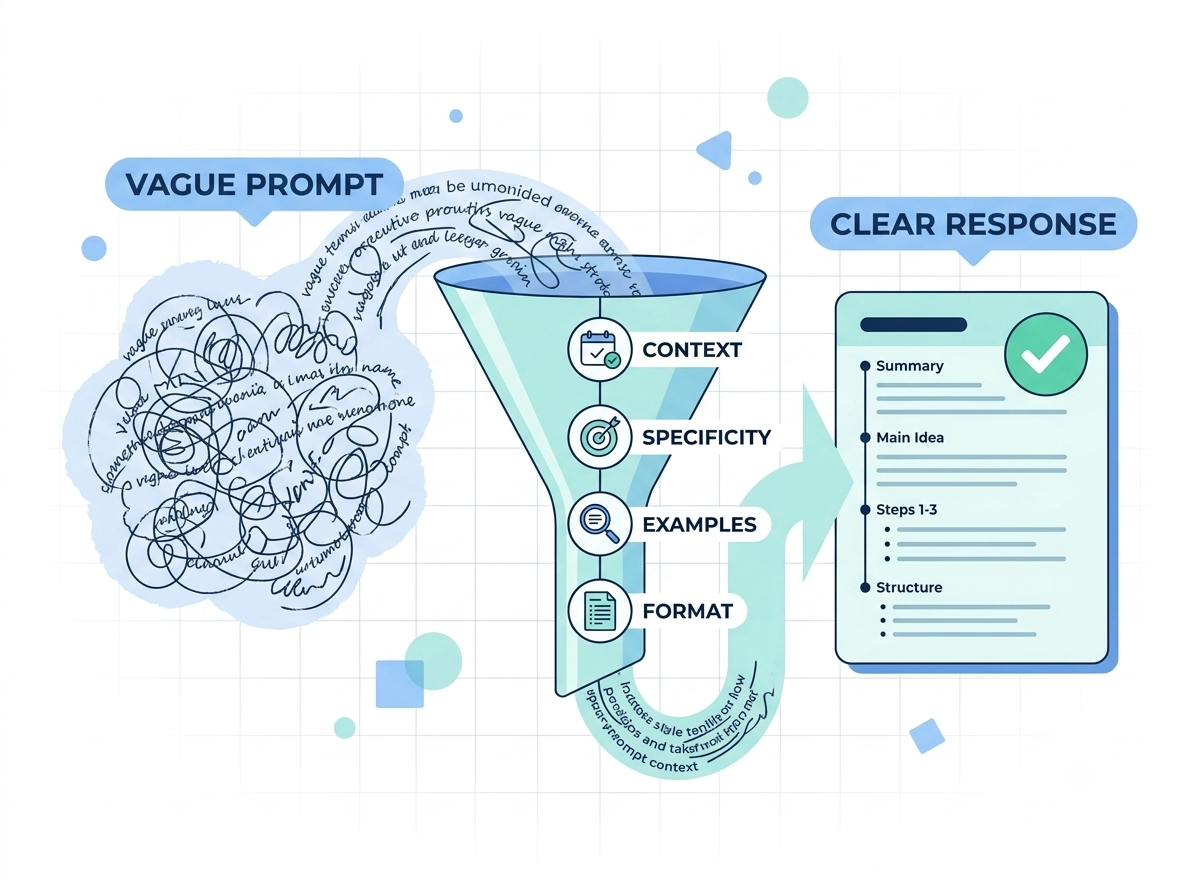
Several techniques work together. Using them deliberately is more effective than relying on any single one.
Adding Specificity
Specificity narrows the range of possible answers. “Give me three blog ideas” is open-ended. “Give me three beginner-friendly blog ideas about AI productivity tools for small-business owners, each with an SEO-focused title and a one-sentence search intent” is actionable.
Providing Relevant Context
Context supplies information the model cannot reliably infer. Telling it “I’m explaining this to a non-technical business owner who has never used an API” changes vocabulary and depth compared with a bare “Explain APIs.” The key is relevance—extra background that doesn’t affect the task can dilute the instructions.
Defining Constraints
Constraints set boundaries: length, tone, scope, terminology, required elements, or exclusions. “Explain inflation in 150 words using a lemonade-stand analogy and no technical terms” produces a different result from “Explain inflation.”
Using Examples With Few-Shot Prompting
Few-shot prompting includes one or more examples of the desired pattern. When classifying customer comments as Positive, Negative, or Neutral, a few correctly labeled examples usually outperform pure verbal instructions. The same approach works for writing style: two strong product-description examples often lock in structure and voice better than a long description of “be punchy and benefit-focused.”
In tool-calling tests, few-shot examples lifted Claude 3 Sonnet performance from 16% to 52% with just three relevant examples. — Source: LangChain research, 2024.
Specifying the Output Format
Format instructions eliminate a common frustration—useful information delivered in a hard-to-use shape. Instead of “Compare these laptops,” request a table with columns for processor, RAM, battery life, display, price, and ideal user. The difference in usability is immediate.
Assigning a Role or Persona
A short role statement—“You are an experienced financial advisor who explains concepts to recent graduates”—shifts vocabulary, depth, and framing. It is not magic, but it reliably changes tone and focus when used with clear task and audience details. (Note: on pure factual-recall tasks, overly elaborate “expert” personas can sometimes slightly reduce accuracy, so keep the role concise and relevant.)
For model-specific techniques like multishot prompting and chain-of-thought reasoning, Anthropic’s official prompt engineering documentation offers detailed, regularly updated guidance straight from the model developer.
OpenAI’s prompt engineering guide covers similar principles for ChatGPT and GPT models, including system messages, role assignment, and few-shot examples.
What Is Iterative Prompting and How Does It Work?
Iterative prompting treats the first response as a draft. You evaluate it, diagnose specific weaknesses, and refine with targeted follow-up instructions. It turns a one-shot request into a feedback loop.
You ask for a product review and receive something accurate but overly formal. Instead of starting over, you reply: “Keep the factual information, but rewrite it for first-time buyers using a conversational tone and add practical examples for everyday use.” That second message contains something the first lacked: feedback based on actual output.
The Prompt-Evaluate-Refine Cycle
- Prompt with the initial task and available context.
- Evaluate relevance, accuracy, completeness, specificity, tone, and format.
- Diagnose the biggest gap.
- Refine with a precise instruction that addresses that gap.
- Regenerate.
- Verify that the change solved the problem.
The critical distinction: “Make it better” is weak. “The examples are too generic—replace them with realistic scenarios for businesses with fewer than 10 employees” is useful. Each round narrows the gap between what you asked for and what you actually needed.
In controlled comparisons, checklist-style structured prompts scored 7.50 out of 8 on a quality rubric versus 5.67 for raw prompts. — Source: Comparative study of structured prompting, 2026.
Iterative prompting is especially valuable for writing, coding, brainstorming, research assistance, and analysis—tasks where quality is partly subjective or where requirements become clearer after seeing a first version. Simple factual lookups rarely need multiple rounds.
What Makes a Prompt Effective or Ineffective?
| Prompt Type |
Example | Main Issue or Advantage |
|---|---|---|
| Vague | “Write about marketing.” | No audience, purpose, format, or scope |
| Improved | “Write 300 words about email marketing for small businesses.” | Adds topic, audience, and length |
| Engineered | “Write 300 words explaining three email marketing strategies for small e-commerce businesses; use a practical tone and include one realistic example for each.” | Defines objective, audience, structure, tone, and examples |
| Iteratively refined | “The examples are too generic. Replace them with scenarios for businesses with fewer than 10 employees.” | Uses concrete feedback to fix a specific weakness |
The strongest prompt is rarely the longest. It is the one that supplies the decisions the model needs to make correctly.
Common Prompt Engineering Mistakes (and How to Avoid Them)
Most quality problems come from a short list of habits:
- Vague language (“make it better,” “professional,” “interesting”) that the model must interpret.
- Missing context about audience, prior attempts, or constraints.
- No format or length guidance.
- Expecting a perfect one-shot answer on complex or subjective tasks.
- Overloading a single prompt with research, writing, SEO optimization, translation, and social posts at once.
Break large workflows into stages—research, outline, draft, edit, review—when each stage needs different criteria. From practical use, this produces more controllable results than one massive request.
How to Evaluate an AI Response Before You Refine
Before writing the next prompt, check:
- Relevance: Does it answer the actual question?
- Accuracy: Are key claims supported?
- Completeness: Did it address every required point?
- Specificity: Useful details or generic advice?
- Tone and format: Right for the audience and requested structure?
- Context use: Did it account for the information you supplied?
- Invention: Any unsupported statistics, quotes, or facts?
If the response is factually wrong, verification or external data is usually the fix, not better wording. If it is too generic, more context or constraints help. Diagnose first, then refine.
Real-World Applications of Prompt Engineering
Content creation
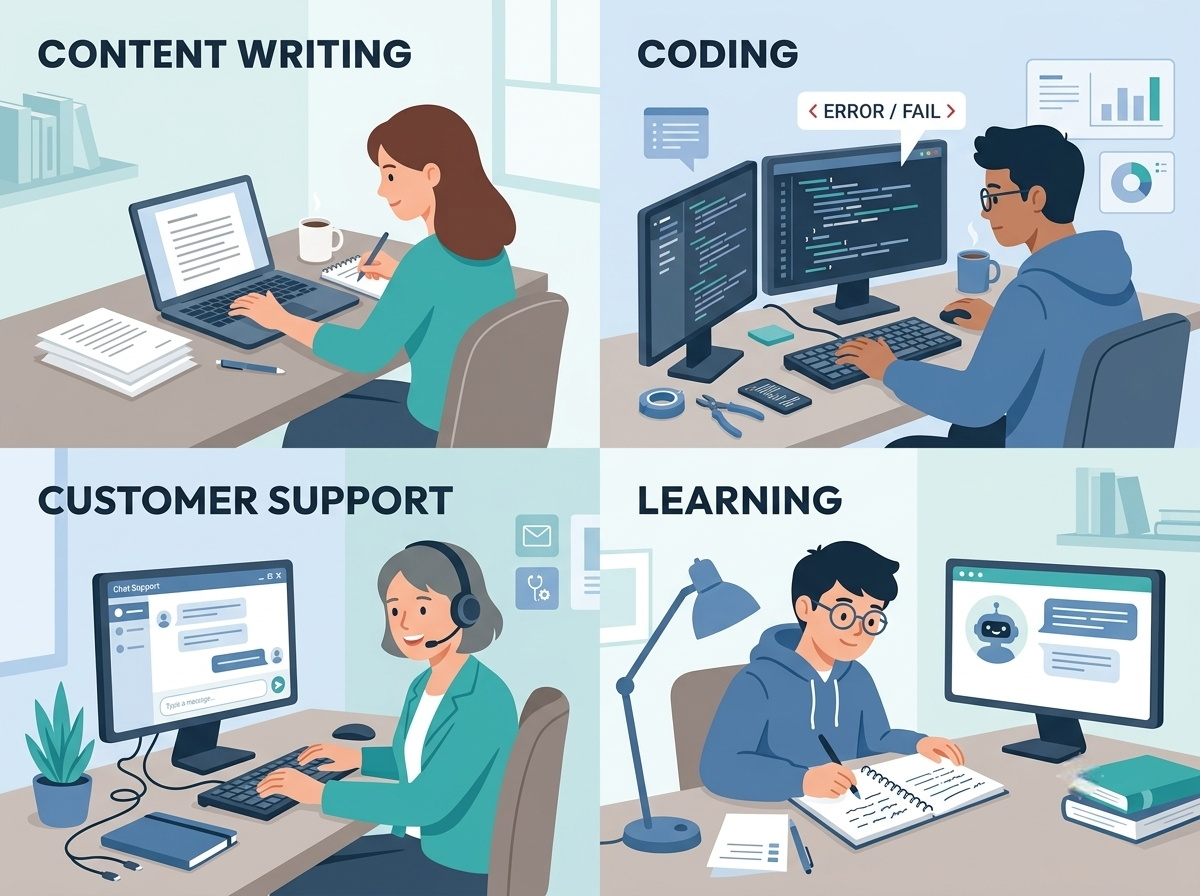
Define reader, purpose, tone, structure, and evidence requirements. A beginner-focused article with named sections and concrete examples outperforms “Write an article about AI.”
Coding and debugging
Include language, environment, expected behavior, the exact error message, and relevant code. “Fix my code” is far less effective than pasting the traceback and describing the intended outcome.
Learning and research
State the learner’s level and preferred explanation style. “Explain this concept with an everyday analogy, then give three practice questions and an answer key” produces more usable study material.
Marketing and customer support
Specify audience, brand voice, customer context, and required elements. A standard support prompt that acknowledges the issue, avoids unsupported promises, and lists the next action keeps replies consistent.
Practical Prompt Template You Can Reuse
A simple structure that works across many tasks:
- Role: Who should the AI act as?
- Context: Background the model needs.
- Task: Exactly what to do.
- Constraints: Length, tone, exclusions, required elements.
- Format: Structure of the answer.
- Success criteria (optional): What makes the response useful.
Example:
“You are an experienced content editor. The article targets beginners unfamiliar with AI. Explain how iterative prompting improves AI responses. Use simple language, avoid unsupported claims, and include practical examples. Use short sections with descriptive headings and end with a five-point checklist.”
Adapt the same skeleton for emails, research summaries, product comparisons, or code reviews. The template’s value is that it forces you to think through what the model actually needs before you hit send.
If you want a ready-made starting point instead of building templates from scratch, our roundup of the most powerful AI prompts everyone should know covers proven prompts across writing, coding, and business use cases.
Building Your Own Iterative Prompting Workflow
Pick one recurring task—email drafts, article outlines, document summaries, or debugging—and practice deliberately:
- Define what a successful answer must accomplish.
- Supply necessary context.
- Set constraints and format.
- Generate the first response and treat it as a draft.
- Evaluate and identify the single biggest weakness.
- Refine that one problem with a specific instruction.
- Compare the new version.
- Save successful prompts as reusable templates.
Over time you develop a repeatable method rather than a collection of “perfect” prompts. That method is more valuable.
Limitations and Realistic Expectations
Better prompts reduce ambiguity and editing time. They do not guarantee factual accuracy, up-to-date knowledge, or perfect judgment. Models can still misunderstand instructions, produce outdated information, or invent details. Always verify important claims.
For some tasks—simple factual lookups or highly constrained generation—an elaborate prompt is unnecessary overhead. Match the effort to the complexity of the job.
Different models also respond differently to the same techniques. A prompting pattern that works well in one system may need adjustment in another. Test and adapt.
In domain-knowledge-heavy tasks, optimized prompts have shown roughly 200% accuracy gains over naïve baselines in controlled tests, but results vary widely by task and model. — Source: LangChain prompt optimization research, 2025.
Conclusion: How Prompt Engineering Improves Generative AI Responses
Prompt engineering improves generative AI responses by making the objective, context, constraints, examples, and desired output clearer. Iterative prompting extends that clarity by treating the first answer as a draft and supplying targeted feedback.
The most useful mindset is straightforward: don’t ask the AI to “be better.” Tell it what better looks like. Give it the right context, define the outcome, evaluate what you receive, and refine when necessary. Once that workflow becomes habitual, generative AI becomes less frustrating and considerably more useful for everyday work.
Frequently Asked Questions
FAQ 1: How can I enhance AI-generated text quality with leading tools?
Combine a capable model (ChatGPT, Claude, Gemini, Copilot, etc.) with clear prompts, relevant context, structured output requirements, and human review. Generate a draft, refine structure and clarity with follow-up prompts, then manually verify facts, names, statistics, and quotes. Grammar and readability tools can catch issues the generative model may miss.
FAQ 2: What platforms offer APIs to improve AI response accuracy?
OpenAI, Google Gemini, Anthropic, and Microsoft Azure AI provide APIs that let developers control prompts, supply application-specific context, integrate external data, validate outputs, and build evaluation workflows. Accuracy still depends on the model, context quality, retrieval systems, prompt design, and validation—not the API alone.
FAQ 3: Which services provide AI training datasets to refine chatbot answers?
Hugging Face’s dataset ecosystem, academic datasets, licensed data providers, and specialized enterprise services supply text, instructional, conversational, and domain-specific data. Choose datasets that match the chatbot’s purpose—curated support conversations and product documentation are usually more useful for a customer-support assistant than a broad internet scrape.
FAQ 4: Where can I find AI tuning services for better conversational outcomes?
Cloud AI providers, machine-learning consultancies, and AI development firms offer prompt optimization, retrieval-augmented generation, evaluation pipelines, fine-tuning, and guardrails. Define the actual problem first. Missing information is often better fixed with improved retrieval than with fine-tuning; consistent format or style problems are frequently solved with better prompts and output controls.
FAQ 5: How can I improve responses from character-based or role-play AI systems?
Provide clearer character definitions, conversation context, behavioral boundaries, scenario details, and specific style instructions. Describe how the character speaks, what motivates them, how they react in certain situations, and which traits must stay consistent. When responses drift or become repetitive, refine the relevant instructions with concrete corrective feedback rather than repeatedly asking for a “better” answer.
FAQ 6: Does prompt engineering work the same way across every AI model?
Core principles—specificity, context, constraints, examples, format—transfer well. Exact wording and the amount of context a model handles best can vary. Test important prompts on the model you actually use and adjust based on results.
Author & Editorial Information
Written by Evan Turner: Evan Turner is a technology content writer covering AI tools, digital trends, and practical technology topics for general readers. His work focuses on explaining technology concepts and everyday developments in a clear, accessible, and easy-to-understand way.
Reviewed by: Subject Matter Experts & Technology Content Specialists.
Disclaimer: This article is based on publicly available information, general research, AI platform documentation, and practical examples available at the time of publication. AI tools, models, features, and response capabilities can change frequently as new updates and technologies are introduced. The effectiveness of a particular prompt or prompting approach may vary depending on the AI model, instructions, context, and intended use. Readers are encouraged to verify current information and platform capabilities before relying on AI-generated results for important decisions. This content was initially drafted with AI assistance and has been carefully reviewed, edited, refined, and fact-checked by human editors to improve accuracy, clarity, originality, and editorial quality.